

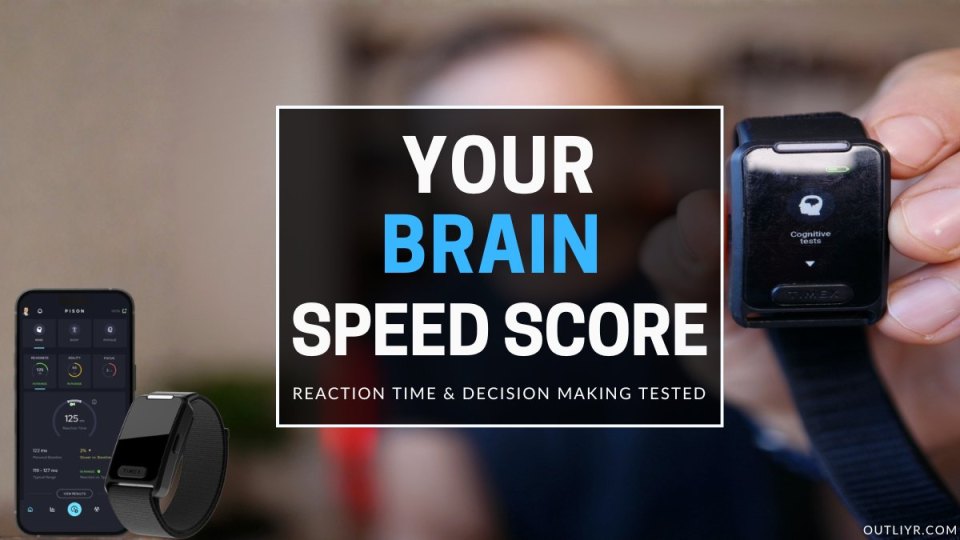
Most wearables tell you how well you recovered. Pison’s Perform wearable provides a report on your brain status: how fast you’re thinking, and whether you should trust your next decision.
I’ve worn the Perform for six months. The early days were rough: bugs, a confusing setup, and a charger that tested my patience more than the device tested my cognition. But the team shipped updates fast, and the product today is a different animal. I use it mainly for cognitive testing and tagging interventions against my scores.
Here’s what my Pison Perform review covers:
- What Pison actually measures and why it matters
- How the Readiness, Agility, and Focus tests work
- My testing method, real performance data, and the patterns that emerged
- Who should buy it and who should skip it
Click here to jump straight to Nick’s Pison cognition data results.
Pison Perform is a first of its kind wrist-worn wearable that uses Electroneurography (ENG) to quantify signals transmitted from your brain through your nervous system. This gives you a window into your: reaction time, your decision-making, your attention, and overall cognition
This technology can help map your personal cognitive performance curve throughout the day to determine how you should structure it for maximum productivity and efficiency
Nick discovered that many of the nootropics he was taking had little to no measurable effect and surprisingly nicotine, caffeine, and lifestyle habits like sleep outperformed most other things
Pison perform continuous tracks physiological biomarkers (sleep stages, HRV, circadian compliance) on top of mental agility, reaction time, and sustained focus cognitive assessments
Pison PERFORM
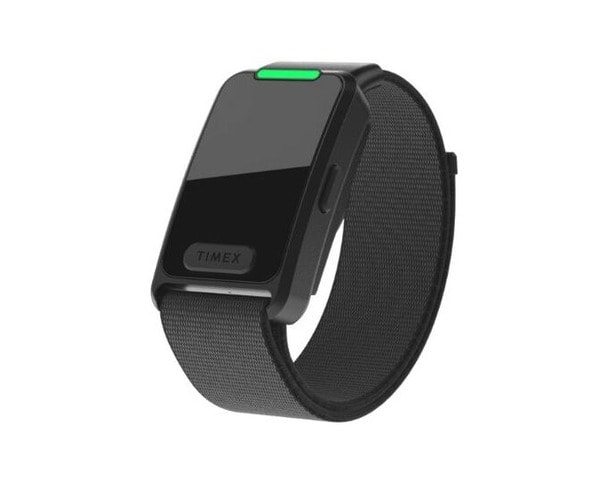
Is Pison PERFORM worth it?
Reaction time, decision-making speed, and neural intent get clinical-grade measurement from this wrist wearable, tracking cognitive performance alongside physical readiness. It’s early-stage: the user community is small and the app still trails Apple Watch or WHOOP.
- Type
- Neural-signal wearable
- Tracks
- Reaction time, brain readiness
- Best For
- Cognitive performance
Best For
- You want a wearable that tracks neural intent and muscle activation in real time
- You're interested in cutting-edge biosensing technology for performance
- You want objective data on your neuromuscular function and readiness
Skip If
- You prefer simple, well-established fitness trackers
- You're not comfortable with early-stage wearable technology
- You want a large user community and established app ecosystem
Pros
- Measures reaction time, decision-making speed, and neural intent
- Clinical-grade biosensing in a wrist-worn form factor
- Tracks cognitive performance alongside physical metrics
- Helps quantify the impact of nootropics and lifestyle changes
- Used by professional and elite athletes
Cons
- Early-stage product with a smaller user community
- For a niche wearable is a significant investment
- App ecosystem still maturing compared to Apple Watch or WHOOP
Your rating helps others choose
Tap to rate
URBAN for 10% offWhat Pison Perform Is
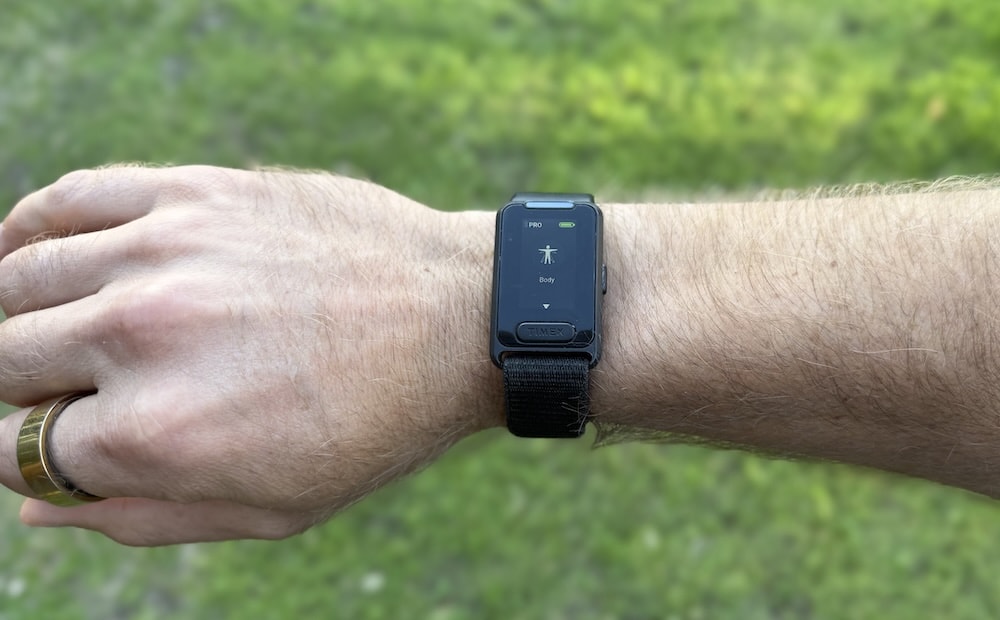
Pison Perform is a wrist-worn wearable paired with a mobile app for daily cognitive testing. You strap it on, run a quick test, and get scored.
The core metrics break down like this:
- Readiness: your raw reaction speed
- Agility: reaction speed plus inhibition control (can you stop yourself from reacting when you shouldn’t?)
- Focus: Psychomotor Vigilance Testing (PVT) to track mental alertness and fatigue
- Sleep and recovery context: secondary data that adds background to your scores
While its recovery and sleep data stack up comparably to industry leading trackers like the Ultrahuman Air, Oura ring, Whoop, or Eight Sleep, Pison’s value is different.
It’s a cognition lab you can run every morning in <60 seconds.
In a hurry? Check it out here.
Use Pison discount code URBAN to save 10%
The Science of Pison
Pison uses wrist-mounted medical-grade electroneurography (ENG) to quantify electrical signals that get sent from the brain through the nervous system.
Here’s how it actually works.
What it measures
Exact measurements depend on which of the three types of training you do.
Four signals matter most:
- Reaction time: how fast you respond to a prompt (response latency)
- Errors and false starts: when you react to something you shouldn’t (commission errors)
- Inhibition control: your ability to stop a response mid-trigger (response inhibition)
- Consistency: how stable your times are across repeated trials (intra-individual variability)
How the sensing works
The wearable uses passive electrodes on the skin surface to tap into three nerve bundles located in your wrist. These signals detect information traveling from your brain through the nervous system to muscles. Pison intercepts those signals in between, reading your motor intent before your hand fully moves.
This is fundamentally different from traditional EMG, which only captures signals during muscle contractions. Theoretically, Pison can read these signals at rest, during sleep, and between movements.
The app takes those raw medical-grade signals, converts them into features, and scores your performance during each test.
Think of it as three layers: sensor picks up the signal, model interprets it, test structures the task.
How Pison tests map to daily performance
Readiness is a simple “go” response. You see a flash, you open your hand. Fast. That’s pure reaction speed.
Faster speed = higher cognition.
Agility adds a layer. You see a white flash, you open your hand. You see a yellow flash, you don’t. That “don’t” part, the inhibition demand, is where things get interesting.
This corresponds to the thousands of decisions you make in your every day life.
Greater Agility scores = smarter real-world decisions.
Why this matters outside the app
The connection between these cognitive metrics and real-world performance isn’t theoretical.
Fatigue slows reaction time. Sleep loss increases attention lapses. Stress raises both error rates and variability. Weak inhibition control predicts impulsive mistakes, the kind that cost you in high-stakes environments.
If you’re a founder making back-to-back decisions, an athlete reading plays in real time, or anyone whose job depends on fast and accurate thinking, these signals are worth tracking.
What Pison isn’t
Pison doesn’t diagnose disease. It’s not a medical device screening for neurodegeneration. It won’t tell you if you have a concussion or early cognitive decline.
What it does show?
Trends:
- Your reaction time is 12% slower this week
- Your inhibition errors spiked after poor sleep
- Your agility jumped after light therapy
These are performance signals: directional, personal, and useful for tuning your daily protocols.
How Pison Tests Work

Three tests drive most of the value inside Pison. Two take under a minute, one takes three minutes.
1. Readiness (reaction speed)
You see a white flash on the device screen. You open your hand as fast as possible. That’s it.
The test captures two things: your response latency (how fast you react) and your variability across trials (how stable that speed is). A fast but inconsistent score tells a different story than a fast and locked-in one.
2. Agility (speed + inhibition)
Same setup, but with a catch. White flash means open your hand. Yellow flash means don’t.
This test layers accuracy on top of speed. It captures false starts, which are moments where you react to the yellow flash when you shouldn’t have. These are inhibition failures. The score weights both speed and accuracy, so you can’t just go fast and sloppy.
3. Focus (sustained attention + fatigue)
Focus is essentially a prolonged Readiness test lasting three minutes. It better captures real-world focus that degrades after a few seconds, due to the prevalence of short-form content today.
Focus helps build discipline and attention span. It’s very trainable, and this mode is a potent form of biofeedback, similar to systems like the Sens.ai brain training headset. Focus mode is also helpful to identify fatigue. This is also the test mode that I use least often.
Tagging Is The Real Power
Scores alone are interesting. Scores linked to what you did before the test are much more useful. That’s what tagging does.
What tagging unlocks
Every time you test, you can tag the session with context: what you took, how you slept, what you did beforehand. Over time, this builds two maps:
- What helps your brain
- What hurts it
You start making protocol decisions based on personal data instead of guesswork. That’s the shift.
Current limitations
You can’t add tags from the wearable itself. You need your phone connected before starting a session. It’s a small friction point, but it matters on groggy mornings when you’d rather just tap your wrist and go.
Mood & motivation sliders
Before each test, the app asks you to rate your mood and motivation on a slider. This lets you compare how you feel versus how you actually perform.
The gap between subjective state and objective score is sometimes surprising.
My 6-Month Experience
The first few weeks were slightly frustrating. The app had bugs. I couldn’t find answers to my exact setup questions. Tagging, which is the most valuable feature, took me a bit of time to figure out.
All that on top of a slightly finicky proprietary charger.
But I kept using it. Here’s why.
What changed
By month two, software and firmware updates smoothed out the biggest pain points. Scores became more stable. The insights screen started surfacing patterns I couldn’t see on my own.
The testing ritual usually took 30-45 seconds, which made compliance easy.
Why I stuck with it
Two reasons. First, nothing else tracks cognition as seamlessly. I’ve tested dozens of wearables. Most of them compete on the same metrics: HRV, sleep stages, skin temperature. Pison occupies a different lane entirely. Even dedicated EEG wearables like the Muse Athena measure different things.
Most other brain quantification systems use clunky head-worn EEG brain sensors. Home neurofeedback devices are too inconvenient to capture a throughout-the-day cognitive circadian pattern.
Second, the leaderboard.
Pison has a competitive element where you can see how your scores rank. Up against your own baseline, as if you opt-in, to a global leaderboard. That gamification loop kept me coming back. Even on days I didn’t feel like testing. Consistency is everything with this kind of data.
Six months in, I’m still wearing it daily.
Methods: How I Tested Pison’s Perform Wearable
I treated this as an N-of-1 experiment. Single subject, controlled conditions, consistent tagging.
Baseline rules
Every session followed the same basic structure:
- Same hand, similar posture each time
- Short sessions, not marathon testing blocks
- Clean tagging for every single session
What I tagged
I tracked a wide range of inputs across six months:
- Stimulants: caffeine, paraxanthine, nicotine, bromantane, and other nootropics
- Sleep quality: REM duration, deep sleep duration
- Circadian timing: morning tests, late-night tests
- Stress and fatigue: subjective ratings before testing
- Interventions: light therapy, meditation, neurofeedback, NuCalm
- Meals and training: post-lunch, post-workout, intra-walk
Lots of other stuff with insufficient sessions to distinguish signal from noise.
How I interpreted the numbers
Every percentage you’ll see in my data is a directional signal. If nicotine showed +15% on agility, that means my agility scores trended 15% higher on sessions tagged with nicotine compared to my baseline.
Of course, these are subject to change as I continue testing.
Biggest confounders
Some testing conditions reliably skewed results. If you don’t control for these, you’ll blame the device for bad data.
- In-bed testing: sleep inertia tanks scores and movement artifacts add noise
- Morning testing: similar issue having not yet fully woken
- Late-night testing: sleep pressure accumulates and slows reaction time
- Intra-activity testing: testing while walking or mid-workout introduces movement noise
- Stacked interventions: tagging caffeine plus light therapy plus meditation in one session makes it impossible to isolate effects
I don’t live a lifestyle conducive to isolating each intervention, so I rely on a greater sample size and the fact that I often mix interventions. So the signal eventually comes through.
How Biohacks Impact Nick’s Cognitive Testing Scores
The device is sensitive to both timing and physiological state. Here’s how my tags mapped to agility and readiness over six months. I haven’t taken enough focus tests to see reliable insights for that mode.
High-Value Pison Insights (What Nick’s Data Suggests)
The biggest takeaway from six months of data: timing effects and context are as important as the intervention itself.
I also talked to Dexter of the Pison team. Between the results of my data and conversations with him, I drew the following insights.
Benefits are cumulative
Users generally hit an inflection point at around six hours of total testing time, to which they’ve built nervous system attunement. At the time of our conversation I was at 5.92 hours.
Since I started my average readiness scores have improved by 41.5 ms, which is among the biggest improvements they’ve seen.
My top agility score is 93/100 (several days ago), which is in the top 3% of all users.
The best average scores I got were during a period of recent travel from December to January. This was during a time of simplified lifestyle and heavy HRV biofeedback training.
Light therapy is timing-sensitive
Pre-light therapy sessions trended negative on both agility and readiness. Post-light therapy sessions trended positive on agility. The intervention didn’t change. The timing did.
If you’re testing the effects of light therapy on cognition, when you test relative to the session matters more than whether you did it at all. Note that this was just general full body light exposure though.
Walking is context-dependent
Post-walk scores improved but testing during a walk (intra-walk) tanked scores. About 20 minutes into walks, I would stop, sit down, and test before resuming.
Walking helps cognition after you stop. Testing while on a walk adds noise and likely reflects divided attention, not a real cognitive deficit.
Morning & in-bed scores are consistently worse
This showed up across both metrics. Morning tests and in-bed tests reliably scored lower. The most likely explanation is sleep inertia combined with low arousal. If you test within 20 minutes of waking, expect (temporarily) lower scores.
Modafinil splits readiness & agility
Modafinil boosted both scores, but not by as much as many other brain-boosting nootropics. On the occasions I take it, it’s always 50mg or less. In previous phases of my testing, it raised raw speed while marginally impairing decision making.
That means faster reactions but potentially more impulsive errors. Worth knowing if you rely on modafinil for cognitively demanding work. Check out this guide to modafinil to learn more.
Sleep drives cognition more than almost any intervention
REM or Deep sleep over one hour correlated with significant improvements to both agility and readiness.
Circadian compliance above 80% boosted both metrics. Meanwhile, sleep debt dragged readiness down dramatically.
Not the sexiest finding, but it’s what my data showed.
Hardware, Comfort, & UX
The Pison Perform is light and compact. Smaller and slightly more comfortable than an Apple Watch Ultra 2, it’s closer to the size of a Fitbit. It’s not quite as comfortable as my Ultrahuman ring though.
The strap isn’t the highest build quality, but I’m sure anyone inclined could change it. The value’s in the sesnors.
The proprietary charger is finicky. It requires specific alignment and doesn’t always connect on the first try. When I first started using it, the app<>device connection was buggy but that’s dramatically improved since the end of 2025.
These aren’t dealbreakers, but they do add a little avoidable friction.
On the positive side, tests take under 90 seconds, so the daily time cost is negligible. Battery life is good because I don’t wear it to sleep, so it easily lasts 3-4+ days, even under heavy testing.
Accuracy Vs Other Wearables
Pison tracks sleep and recovery as secondary metrics. They’re close enough to be useful for context, but they’re not the point.
If you already use an Ultrahuman Ring or Eight Sleep for sleep data, you don’t need Pison to duplicate that. Where Pison earns its place on your wrist is cognition. No other consumer wearable gives you daily reaction time, inhibition testing, or focus quantification with tag-based insights. That’s the lane it owns.
Reaction speed test apps on your phone or computer often have a “jitter” of up to 60ms, which makes them unhelpful for most people. If your true speed is 150mg, with 60ms of jitter, the device can read as low as 90ms or as high as 210ms. I found that most interventions move my score +/- 10ms. None were even close to 60ms.
It’s also fascinating to see the tremendous role that sleep and recovery play on overall cognitive function. I haven’t got this insight from my other wearables as directly.
Who Should Use The Pison Perform
Pison is for people who care about cognition or long-term brain health. This device can spot concerning (or positive) trends far in advance of standard care.
Not ideal for
- People who hate tagging. Without tags, you get scores with no context. The device loses much of its value
- People who only want steps, recovery, and sleep. An Apple Watch or Oura Ring covers that better and cheaper
It’s ideal for several populations.
Best for
- Founders and executives under heavy cognitive load who need to know when their decision-making is compromised
- Competitive athletes who rely on reaction speed and split-second judgment
- Tactical and military professionals where inhibition control directly affects outcomes
- Brain optimizers and biohackers running structured self-experiments on supplements, protocols, and interventions
In case you’re wondering where you can get it.
Pricing & Value
Pison Perform is only available through their website and they offer several different pricing plans, ranging from a one-time $499, to $299 annually, or a $29 monthly plan with $174 paid upfront.
The best value case is daily cognition tracking with consistent tagging. If you test every day and tag your inputs, the data compounds quickly. Within a few weeks, you’ll have a personal map of what boosts and tanks your cognitive performance.
The weak value case is casual use without tags. If you wear it sporadically and skip tagging, you’re paying for scores with no actionable context. Still cool, but less helpful.
Pison Q&A
These are the questions I get most often about the device.
Does Pison Perform actually measure brain health?
It measures performance signals that correlate with brain state. Reaction time, inhibition control, sustained attention all reflect cognitive function. It does not diagnose disease or medically screen for neurodegeneration.
What are the differences between Pison’s Readiness, Agility, and Focus modes?
Readiness tests pure reaction speed. Agility adds inhibition control, which means you also need to suppress responses to certain prompts. Focus measures readiness over three minutes. Readiness is quick and raw, Agility is the harder and more informative test, and Focus better trains your brain.
How often should you test with Pison Perform?
1-6 sessions per day works best. Trend quality depends on consistency. Several test per day at the same time builds a far more useful dataset than sporadic marathon sessions.
Is Pison better than an Apple Watch for cognition?
Yes. Apple Watch is a broad health and fitness device. Pison is purpose-built for cognitive testing with tag-based insights. If cognition is your priority, Pison fills a gap Apple Watch doesn’t touch.
Is Pison Perform worth it if you already track sleep?
Yes, if you want cognition metrics and tagging on top of your existing sleep data. No, if you’re looking for another recovery score. Pison’s value is additive, not redundant.
What’s the fastest way to get value from Pison?
Start by thinking of all the different things that you want to test, then run four to six tests per day and tag them accurately. After 2-3 weeks you’ll have a solid list of insights.
Does nicotine improve reaction time & cognition?
In my data, transdermal nicotine (patches) reliably improved decision making ability at +15%. It also improved reaction time by +12%. Retest your own results and use caution with any stimulant.
Can’t I just take a reaction speed tests online?
Yes you can get a number of reaction tests that are freely available online. The issue with them is that they are not nearly as reliable, they’re not as precise, and they’re not as convenient to use. Pison’s clinical-grade ENG sensors measure the impulse before you even move your hand while the online tests do not register until you’ve clicked down on the mouse fully.
Pison Wearable Review: Final Verdict
Pison Perform is worth it if you want the closest thing we have to a cognition lab on your wrist. It’s not worth it if you want a polished sleep ring or a premium fitness tracker.
It certainly has its shortcomings, most notably the previous software glitches and the proprietary charger. But nothing else on the market gives you daily reaction time testing, inhibition scoring, sustained attention gamification, and tag-based cognitive insights in a consumer wearable.
If you want the cleanest data, follow these four rules:
- Test several times per day
- Tag everything you care about
- Retest suspicious findings many times before believing them
Watch your performance improve over time.
Overall this is quite a promising technology and I foresee that this will make its way into many of the world’s top wearables over the coming years. Get it here.
Use Pison discount code URBAN to save 10%
I was shocked to find that nicotine specifically had such a dramatic impact on my mental performance. A neuroscience professor I had in college recommended that students use low-dose nicotine patches for that reason, and now I clearly see why. If you’re comparing performance wearables more broadly, see my biohacking wearables roundup.
Looking for a reason to justify that nicotine habit? Share this article on social media or send it to a friend. I’m curious, do you quantify your mental performance?
Pison Perform
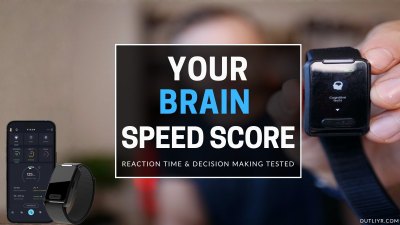
Can the Pison Perform wearable really quantify brain health & performance from the wrist? In this Pison review, I'll share my data from 515+ tests and help you decide if this is the right buy for your goals.
Product Brand: Pison
3.97
Pros
- Unique non-invasive and practical cognition measurement tool
- Readiness and Agility are simple and fast
- Focus mode is a form of trainable biofeedback
- Assesses 3 facets of cognition
- Running tests does not require a phone or any device
- Long battery life
- Tag insights create a personal playbook
- Gamified global leaderboard improves adherence
- Team ships updates and improves quickly
Cons
- Early bugs and friction
- Data occasionally fails after taking the full test
- No airplane mode
- Readiness and Agility emit blue light (bad at night)
- Tagging requires phone connection
- Proprietary charger issues
- Build quality is not as premium as some wearables
- Results can be noisy with poor testing hygiene
Pison hasn’t paid it’s employees since September of 2025.